
Find the step where a conversion path breaks down.
Build an ordered path from pages and events. Measure completion within one session, or follow a visitor across sessions within a conversion window you set.
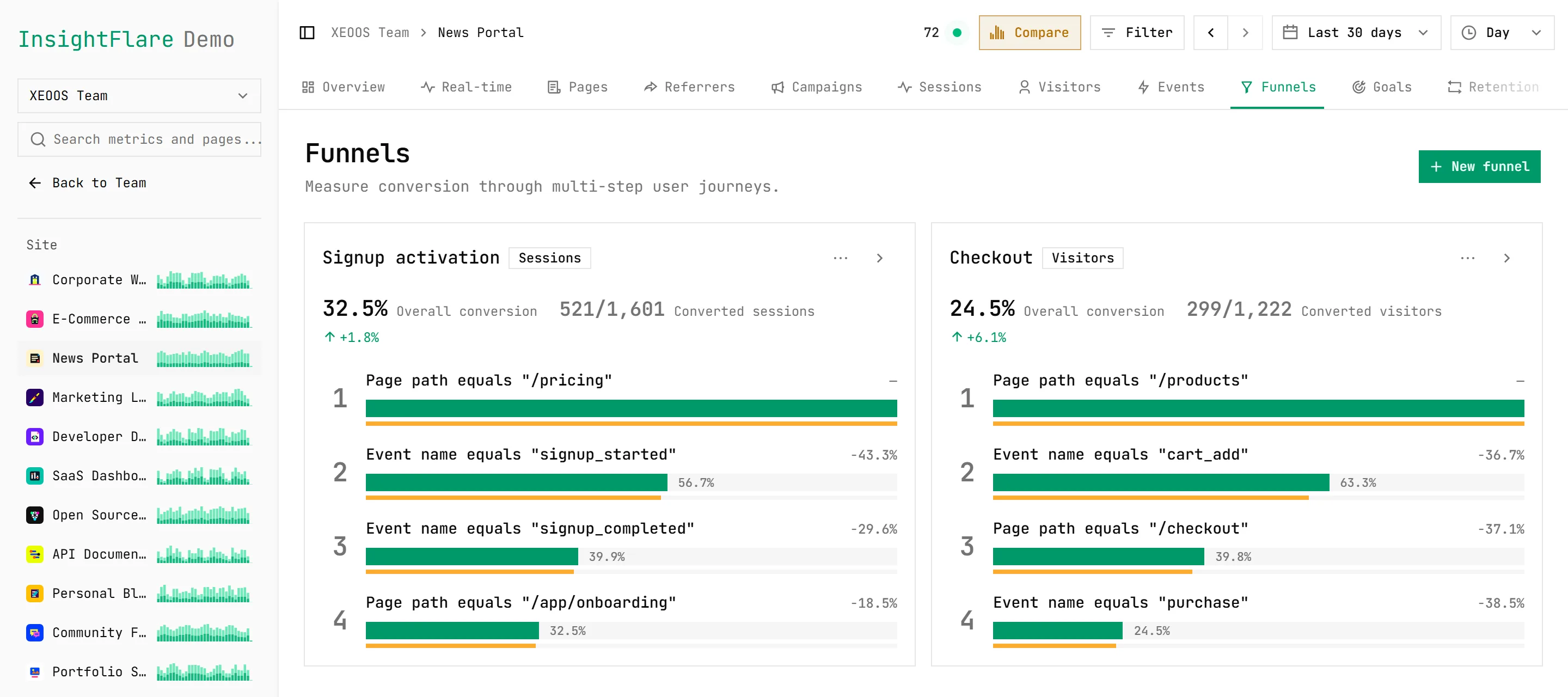
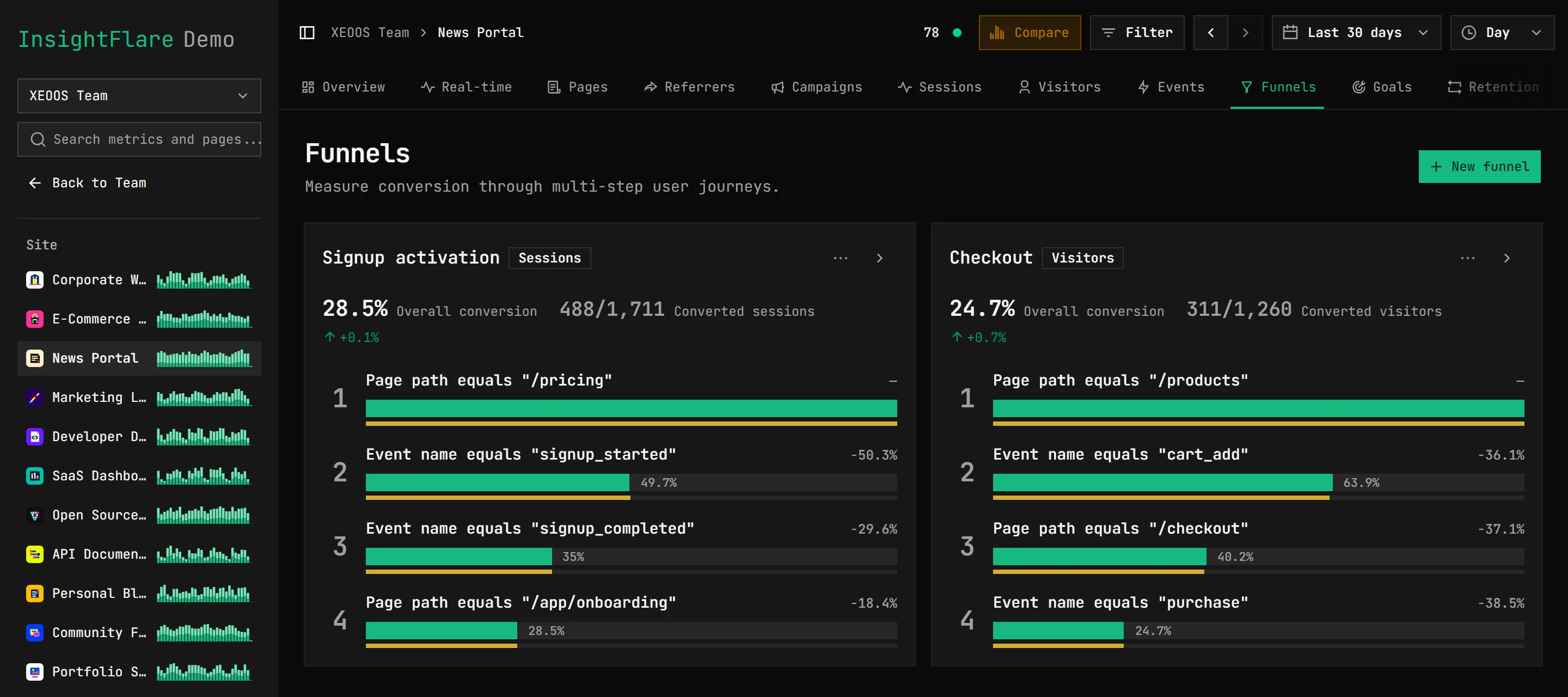
How funnels and goals work in InsightFlare
A funnel is an ordered list of filters. A goal is a single filter. Both are saved per site and computed for whatever time range the dashboard has selected.
Steps are filters
To see where people drop off, define each step as a condition on page views and events. Write the condition in the filter language or build it visually, and drag steps to reorder them.
- A funnel needs a name and between 2 and 10 steps.
- Each step can match a page, an event, or event properties, using any field condition.
- Steps take the same expressions as the filter panel, but not collections, sequences or aggregates.
- The funnel is a saved definition. Results are computed for the current dashboard range.
page.path eq "/pricing"
event.name eq "signup" AND event.payload("/plan") eq "pro"
event.name eq "deploy"
Sessions or visitors
Decide whether someone has to finish the funnel in one visit or can do it over several. The progression identity sets that.
- Session funnels follow each session through the steps in order.
- Visitor funnels follow a person across sessions.
- Visitor funnels have a conversion window: 1 hour, 24 hours, 7 days, 30 days, or a custom number of hours.
- The window is not set for session funnels.
Reading the result
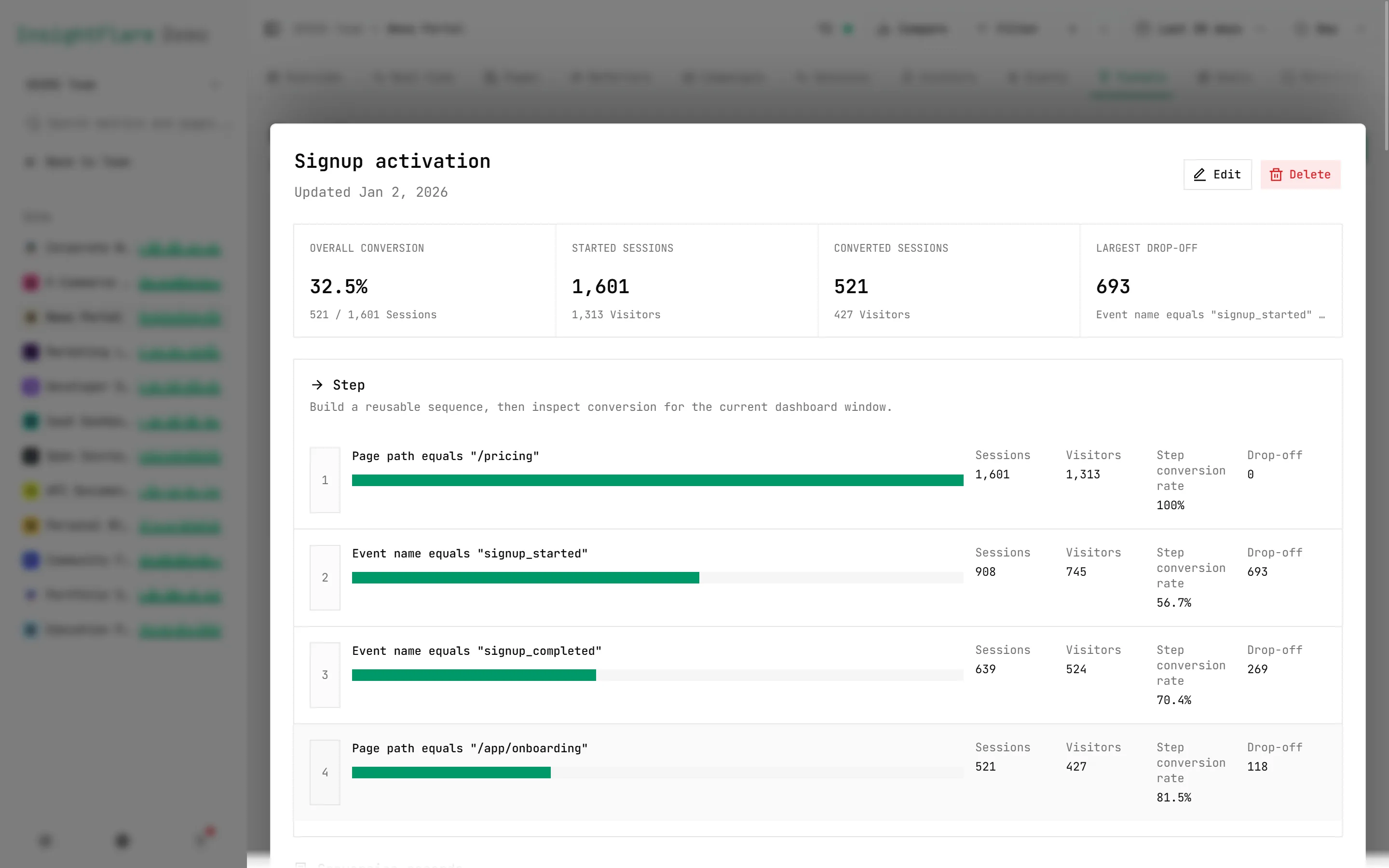
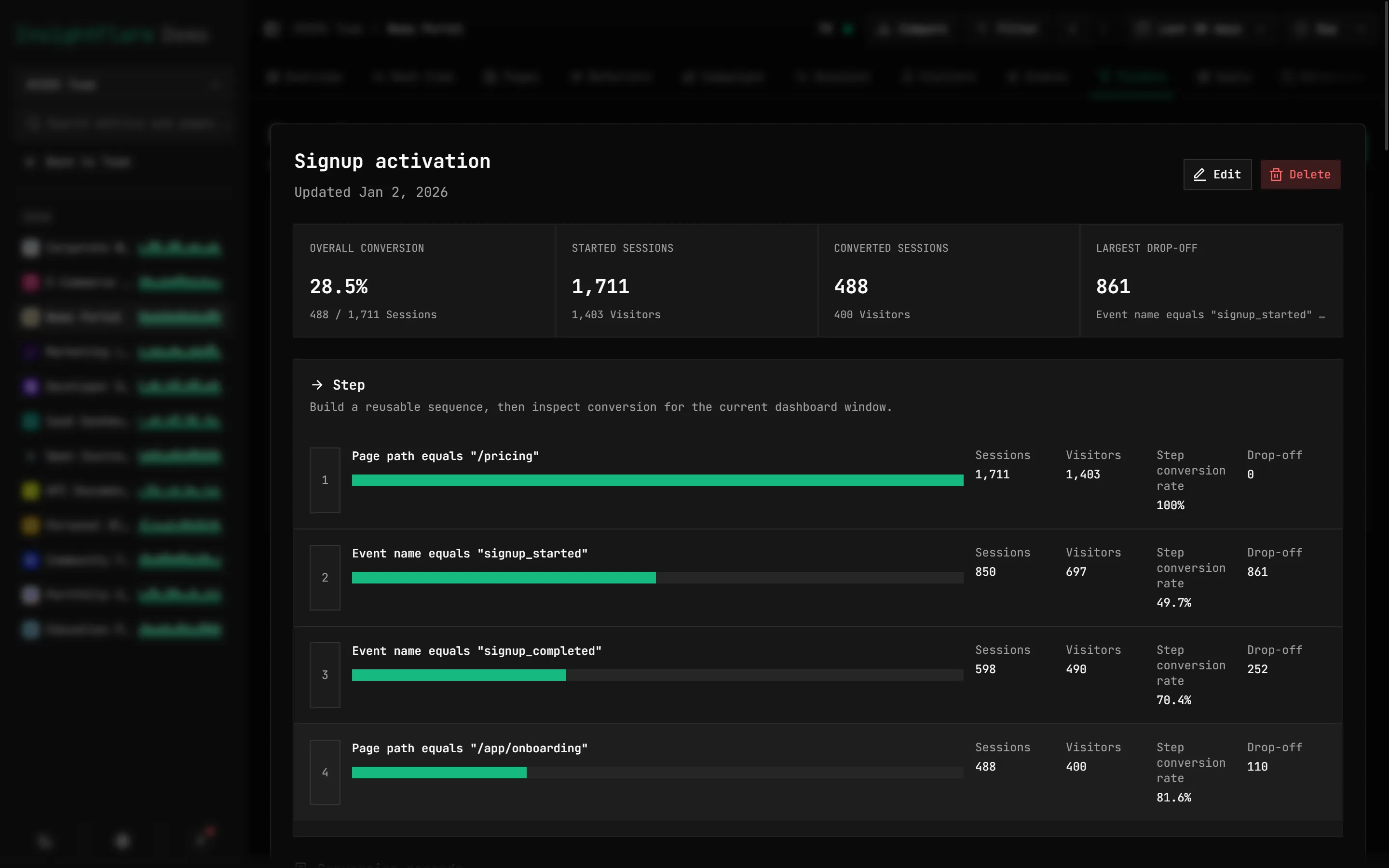
The result shows where the funnel loses the most people, and gives you the numbers behind each step.
- Summary cards: overall conversion, started, converted, and the largest drop-off.
- The table lists sessions, visitors, conversions, step conversion rate and drop-off for every step.
- Open the conversion records to see the sessions or visitors behind a number.
- With comparison on, the previous period is shown next to the current one.
Goals
When you only need one outcome, such as a page view or a custom event, a goal is simpler than a funnel. It has a name and one condition.
- Goals report total, converted and conversion rate for both sessions and visitors.
- A time series shows how the rate moves over the selected range.
- With comparison on, goals are compared with the previous period.
- Like funnel steps, a goal condition takes field conditions only.
event.name eq "signup"
Sharing and API
Funnel and goal definitions belong to the team, so everyone with access to the site sees the same ones. Deleting one removes the definition and leaves your historical data alone.
- Create, edit and delete from the Funnels and Goals pages.
- The API can read and manage them with the analytics definition scopes.
Measure activation
Follow sign-up, onboarding, project creation, and first deployment as one path.
Compare groups of visitors
Filter to a group of visitors, then compare conversion with another period or another group.
Choose the counting unit
Use sessions for paths completed in one visit, and visitors for paths that usually take several visits.
Start with a path you can describe in a sentence
Every step is a filter. Keep the first version short, check that the order is right, then add detail where you need it.
- 1Choose whether to count by session or by visitor.
- 2Add two to ten page or event steps, in order.
- 3When counting by visitor, set the maximum conversion window.
- 4Save the funnel, then use the global filters and comparison to change which visitors are included.
Funnel calculation rules
Yes, if the scope is set to visitor. The conversion window limits how long the whole path can take.
No. A funnel follows the order. A later step only counts after the earlier step has matched.
No. It shows where people are lost between steps. Use filters, journeys, events, and experience signals to look into why.