
See where trial users drop off, and who stays
Build activation funnels, compare cohorts by first visit, and filter down to paying users. It runs on your own Cloudflare account, and you pay Cloudflare for usage rather than per event.
Pricing grows with your traffic
Per-event and per-seat plans get expensive just as the product starts working. Teams then cut events to stay under a tier.
Web visitors and product users are separate
Page views live in one tool and account data in another. Finding out which plan a visitor ended up on means joining exports by hand.
Reports that are sampled or hard to reproduce
A conversion number you cannot reproduce is hard to act on. An analyst or a script cannot re-run it later either.
How InsightFlare helps
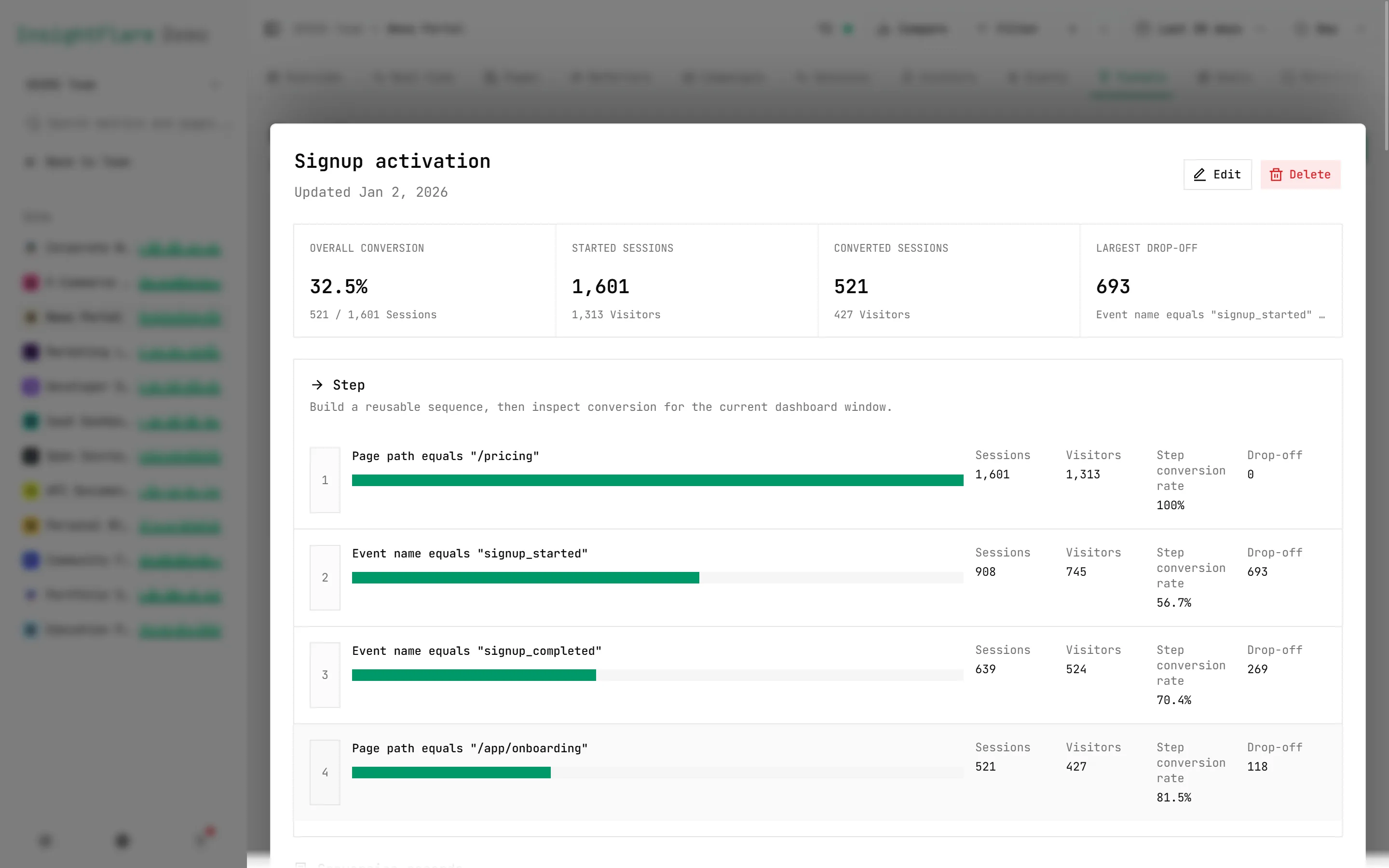
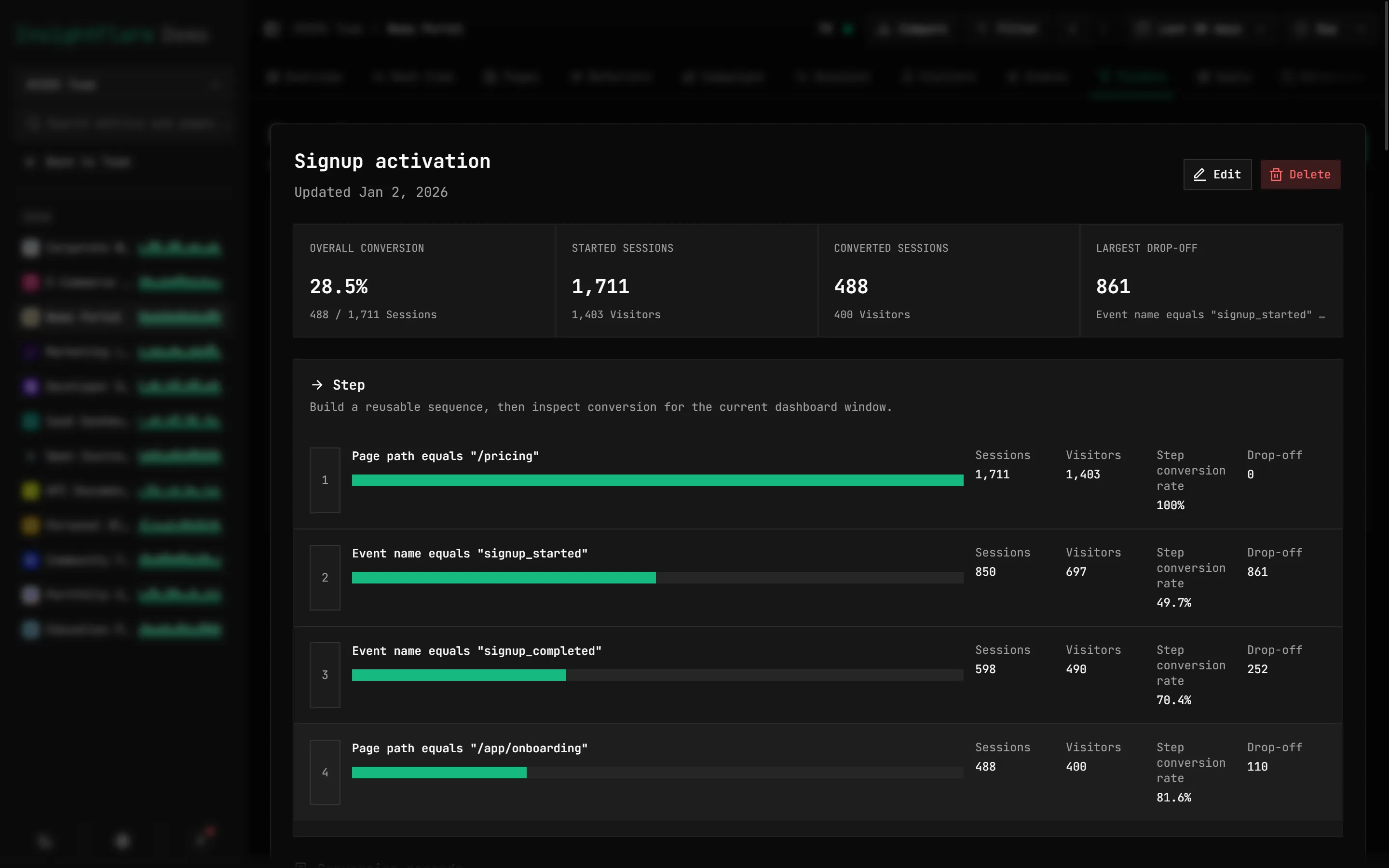
Activation and conversion funnels
A funnel has 2 to 10 steps, built from pages, events or goals. Count by session, or by visitor with a conversion window of 1 hour, 24 hours, 7 days, 30 days or a custom length.
- Use visitor mode when signup and activation happen on different days.
- Compare two funnels, or the same funnel across two periods.
Retention by first visit
Group users by the week or day they first showed up and see how many return. Add a filter to look at one plan or one channel.
RetentionPick out trial and paying users with filters
The filter language matches on behavior, not only on page or device. Filters can be saved for yourself or for the team.
- Pro signups: `EVENT { $.name eq "signup" AND $.payload("/plan") eq "pro" } exists`
- Signed up but never bought: `EVENT { $.name eq "signup" } exists AND NOT EVENT { $.name eq "purchase" } exists`
- Frequent inviters: `count(EVENT { $.name eq "invite_sent" }) gte 3`
Custom events and identify
Custom events carry nested JSON properties (up to 8 KB), and fields are discovered automatically so you can filter on them. Call identify with your own user ID to tie sessions to a business user.
Custom events docsAPI for agents and internal scripts
API v1 is described by an OpenAPI spec. API keys carry scoped permissions, so a script can read reports without being able to change settings.
Agents and APIYes. Any report can be compared with the previous period or with another group of visitors defined by a filter.
The software is free and open source (MIT). You pay Cloudflare for the Workers, D1 and other resources you use. There is no charge per event or per seat.
Not yet. Events are collected by the browser script. There is no server-side event API, so events that only happen on the server are not covered.
No. Data starts from the day you install the script.
Deploy it to your own Cloudflare account
Set up InsightFlare in a few steps, or open the live demo to look around first.